AI Inbox · All-in-One PRO
Start every morning knowing what needs you.
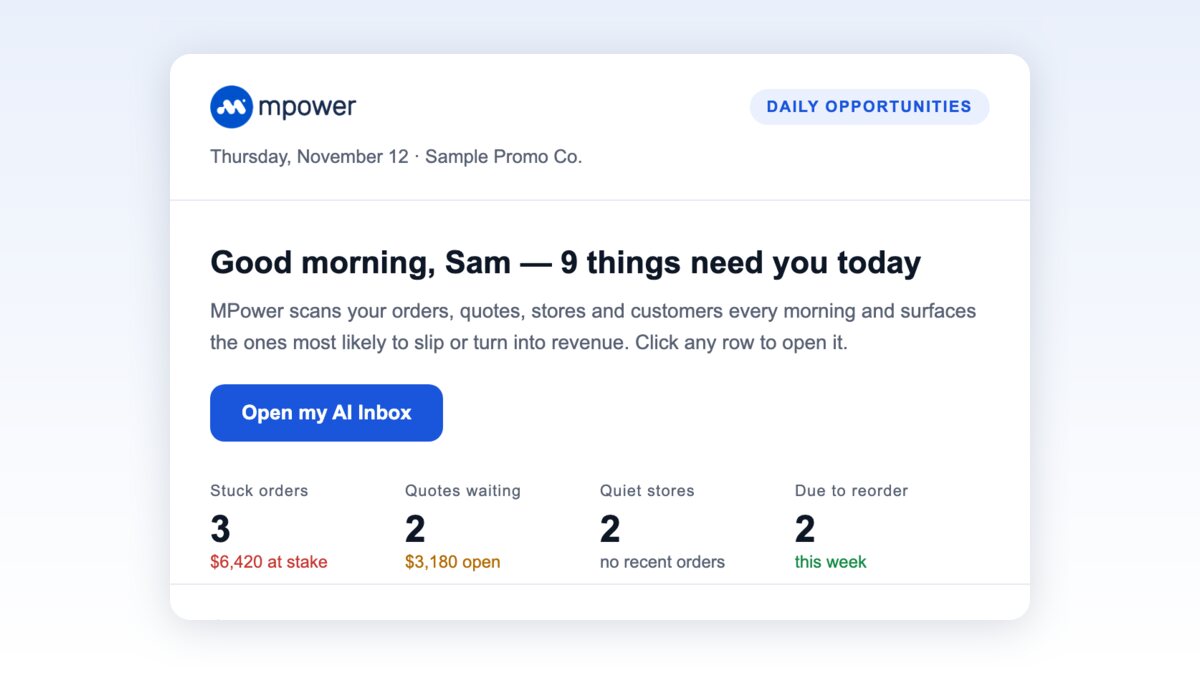
AI Inbox is now part of All-in-One PRO. Each morning MPower reviews your orders, quotes, stores and customers, then gives everyone on your team a short, ranked list of what needs attention, with follow-up emails drafted and ready to review.
What it looks for
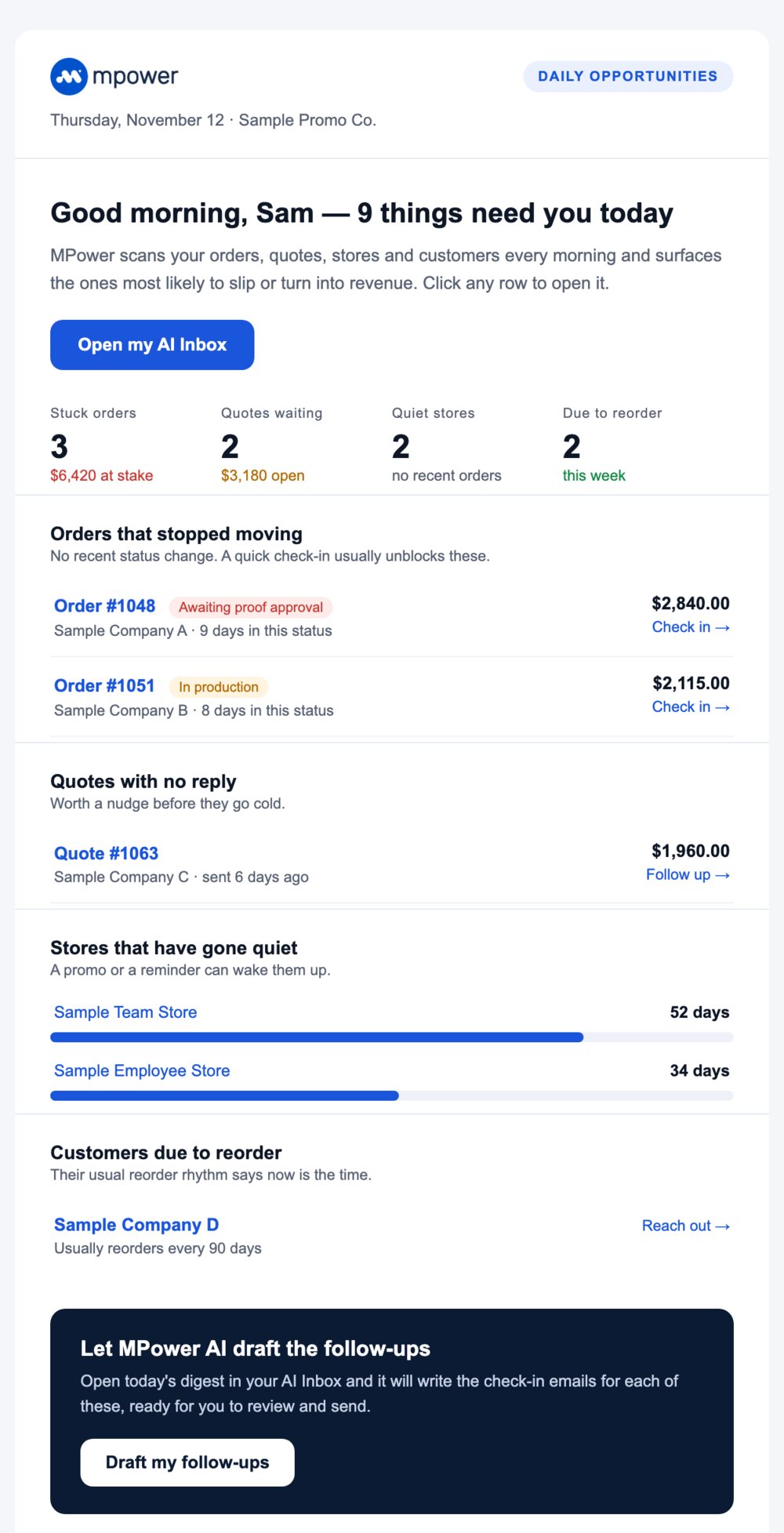
The things that slip when you're busy
Every item comes with the reason it's on the list and a link straight to the record.

Orders that stopped moving
Orders with no status change in a while, and how much is riding on them.

Quotes with no reply
Quotes still waiting on the customer, so you can nudge them before they go cold.

Stores that have gone quiet
Company stores that haven't had an order in a while, and how long it's been.

Customers due to reorder
Customers whose usual buying rhythm says they're ready for the next order.
How it works
A short list, not another dashboard

Ready every morning
MPower runs the review each morning, so the list is ready when you start your day.

Ranked for each person
Each user gets their own list, most important first, so nobody has to sort through everything.

Follow-ups drafted for you
MPower writes the check-in email for each item. Read it, change what you want, and send.
Daily Opportunity Digest
The same list, in your inbox
A branded morning email that sums up what needs you today. Click any order or quote number and it opens in MPower.

FAQ
Questions, answered.
Which plan includes AI Inbox?
What does it look at?
Does everyone on my team see the same list?
How do I get the morning email?
I'm on Starter or All-in-One. How do I get it?
See what needs you, every morning
AI Inbox and the Daily Opportunity Digest come with All-in-One PRO.
Ask about All-in-One PROReady to run all of promo in one place?
See how MPower replaces your disconnected tools with one platform — from the first lead to the final shipment.
Thanks — you're on the list.
A product specialist will reach out within one business day to schedule your demo.
Download
Never miss a beat. Download our app and work on the go with all the same features as our desktop application.

