Meet MPower AI: ask, don't hunt.
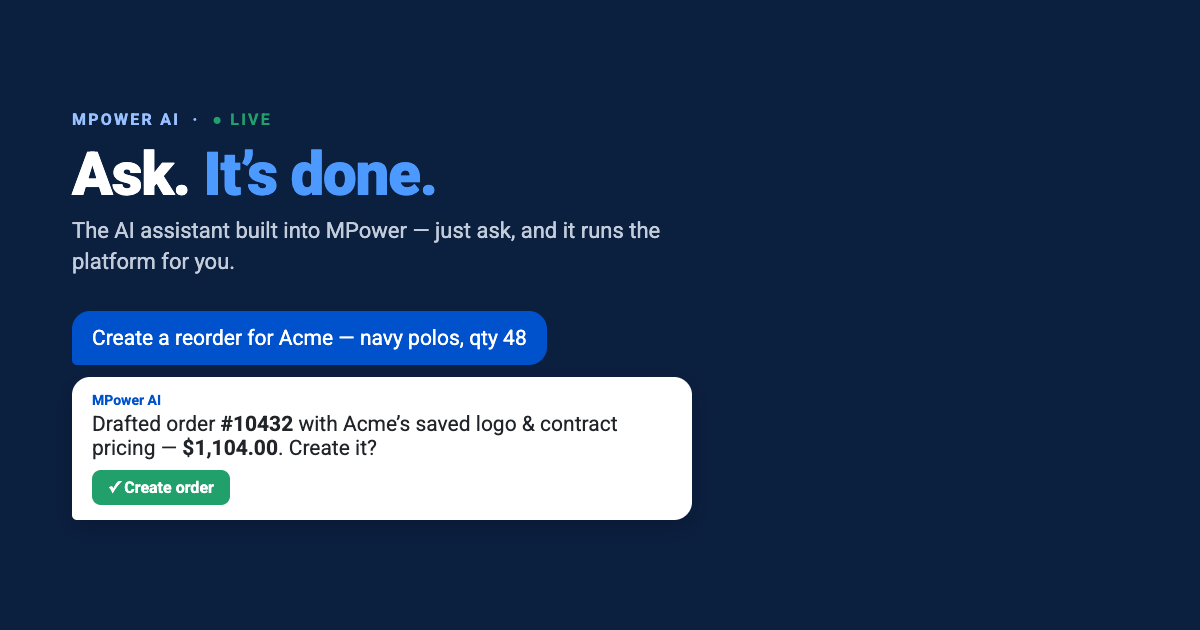
Most software makes you hunt. You know the answer is in there — which PO shipped, what’s on that store, which products are already in the client’s presentation — so you go find it. Four clicks, two filters, one search box that never quite matches how you phrased it. MPower AI works the other way round: you ask, and it answers.
The click-heavy status quo
A distributor’s day is a long string of small lookups. A customer emails asking where their order is. A rep wants last quarter’s reorder for a client. Someone needs a store spun up before a Friday deadline. None of it is difficult work — it’s just slow, and it adds up. Every lookup means remembering which screen holds the answer, navigating there, and filtering down to the one record you wanted.
Think about a normal Tuesday morning. A client wants to know if their polos shipped, so you open orders, filter by customer, find the order, open the PO, check fulfillment. Then a rep asks what was on the presentation you sent that account in the spring, so you go to presentations and start scrolling. Then someone needs a redemption store live by Friday, so you open the store builder and try to remember which template you used last time. Three tasks, maybe fifteen minutes of navigation, and not one of them required judgment.
That’s time that isn’t spent selling. And it’s the part of the job that gets worse as you grow: more orders, more stores, more places to look.
What MPower AI actually is
MPower AI is an assistant built directly into the MPower app. You open it from the header on any page, and it already knows where you are — no re-explaining what you’re working on. Ask a question in plain language and it answers from your own data, or takes you straight to the right screen.
It works across five areas: orders (look up orders, POs and fulfillment, or walk through building a new one), stores (review setup, or create one from a template step by step), products (look up products and suppliers), presentations (find one, or build a new one and start adding products), and support (get how-to guidance, file a ticket, or check one you’ve already submitted). Across all five it can also navigate for you — say “take me to that order” and you’re there.
MPower AI is scoped to your own account and store data, and it’s private per user. Every action it proposes — a new order, a new store, a new page — is click-to-confirm through an interactive widget. It works alongside you, never instead of you. Usage runs on AI credits, which you can track under Administration → Billing → AI Usage.
Four things to try first
The fastest way to understand it is to ask it something you’d normally go hunting for. A few starting points:
None of these need special phrasing. Ask the way you’d ask a colleague who happens to know your account inside out.
Why this isn’t just a search box
A search box matches text. It needs you to know roughly what the record is called and which section it lives in, and it hands back a list for you to sort through. MPower AI starts from what you’re trying to do.
Two things make the difference. First, it’s context-aware — it knows which page you have open, so “this customer” and “that order” mean something without you spelling them out. Second, it doesn’t stop at finding things. It can carry the task forward: draft the order, walk the store setup, add the products, then hand you a confirmation step before anything is saved.
What it won’t do
Worth being straight about the edges, because knowing them makes it more useful, not less.
It won’t act without you. Anything that creates or changes a record comes back as a confirmation widget — a store picker, a customer picker, a form — and waits. It won’t reach outside your own account: it answers from your data, not the wider platform’s. And in products it does look-ups rather than open-ended discovery — asking it to find every red mug under ten dollars is a job for AI Product Search, which is built for exactly that.
Where it fits with the rest of MPower’s AI
MPower AI joins a set of AI tools already built into the platform. AI Product Search finds the right items across a catalog of hundreds of thousands with natural-language queries. AI Images generates mockups and lifestyle shots without a photoshoot. AI Vectorization turns rough logo files into clean, production-ready vector artwork.
They point at the same idea from different directions: less time on the mechanics of the job, more time on the parts that actually win business. MPower AI is the front door to all of it — the place you ask first.
Try it
Open MPower, look for the assistant in the header, and ask it the first thing you’d normally go digging for. That’s the whole pitch — it makes its case the moment it answers a real question about your own business.
Try MPower AI →
