AI Inbox and the Daily Opportunity Digest Are Now in All-in-One PRO
Busy weeks are when things slip: an order that sat waiting on a proof, a quote that never got a follow-up, a company store that went quiet, a customer who would have reordered if someone had asked.
All-in-One PRO now includes two things built to catch those: AI Inbox and the Daily Opportunity Digest email.
AI Inbox: a short list of what needs you
Every morning MPower reviews your orders, quotes, stores and customers and gives each person on your team their own ranked list of what needs attention. It looks for four things:




Each item says why it's on the list and links straight to the record. For each one, MPower also drafts a follow-up email. You read it, change what you want, and send it.
The list is short on purpose. It isn't a report to work through. It's the handful of things worth doing first today.
The Daily Opportunity Digest: the same list, in your email
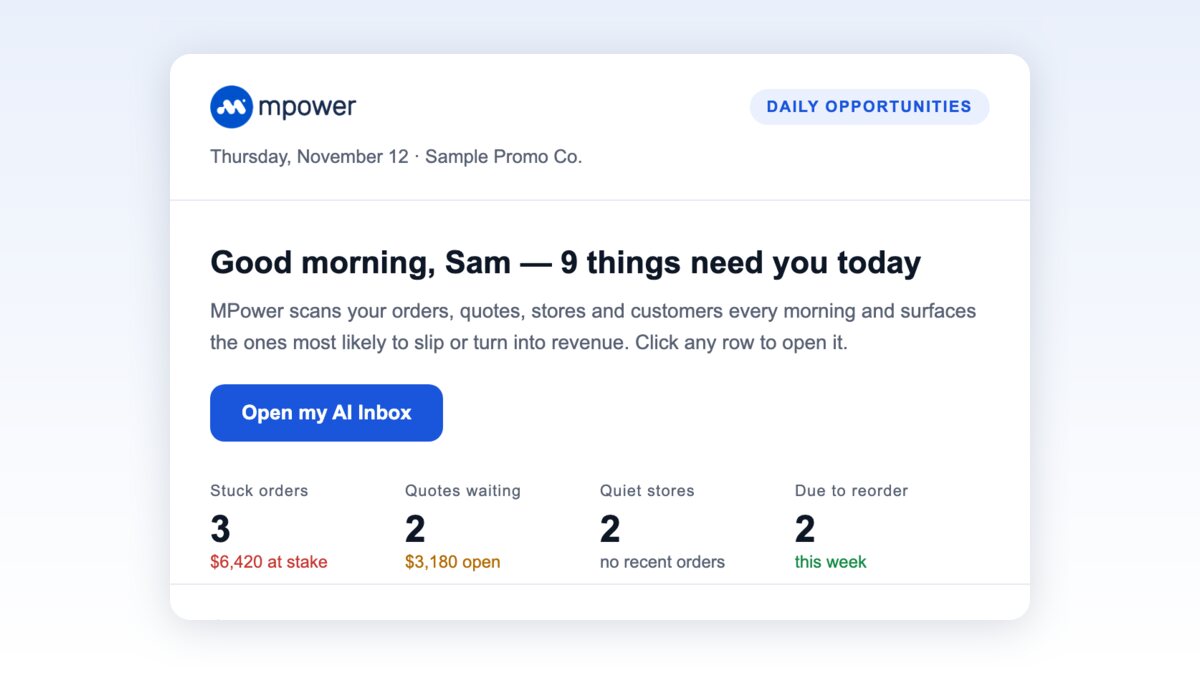
If you'd rather start the day in your inbox, the Daily Opportunity Digest sends you a branded morning email with the same items:
- Order and quote numbers you can click to open the record in MPower
- The amounts at stake on stuck orders and open quotes
- Bars showing how long each quiet store has gone without an order
- Customers due to reorder this week
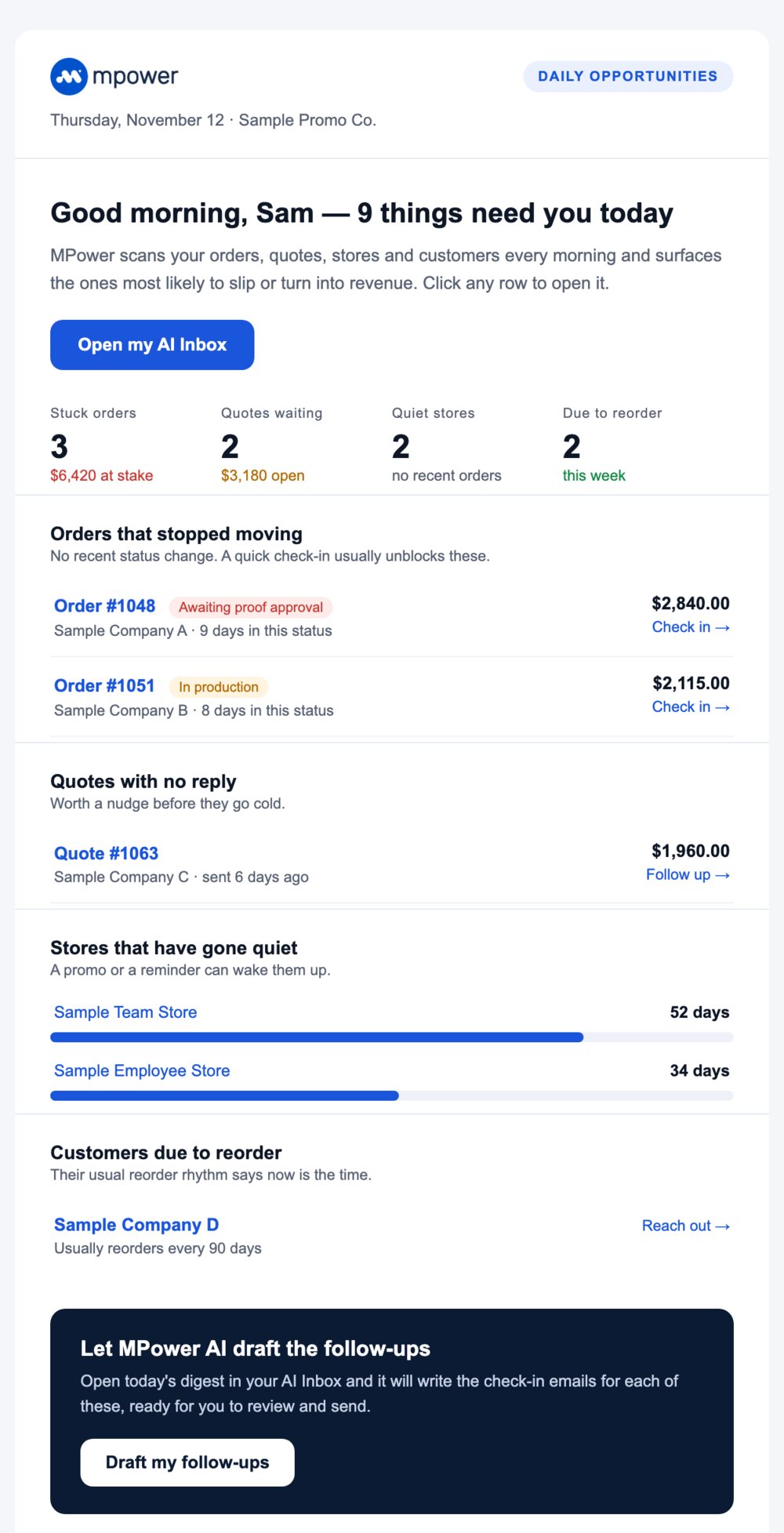
The email above uses sample data.
How to turn it on
On All-in-One PRO? AI Inbox is already in your account. To get the morning email, go to My Account → Email preferences and turn on the Daily opportunity digest. Use Preview to see what it looks like or Send test to get one in your inbox first. Each person on your team turns it on or off for themselves.
On Starter or All-in-One? AI Inbox and the digest come with All-in-One PRO. Compare plans or talk to our team about switching.

